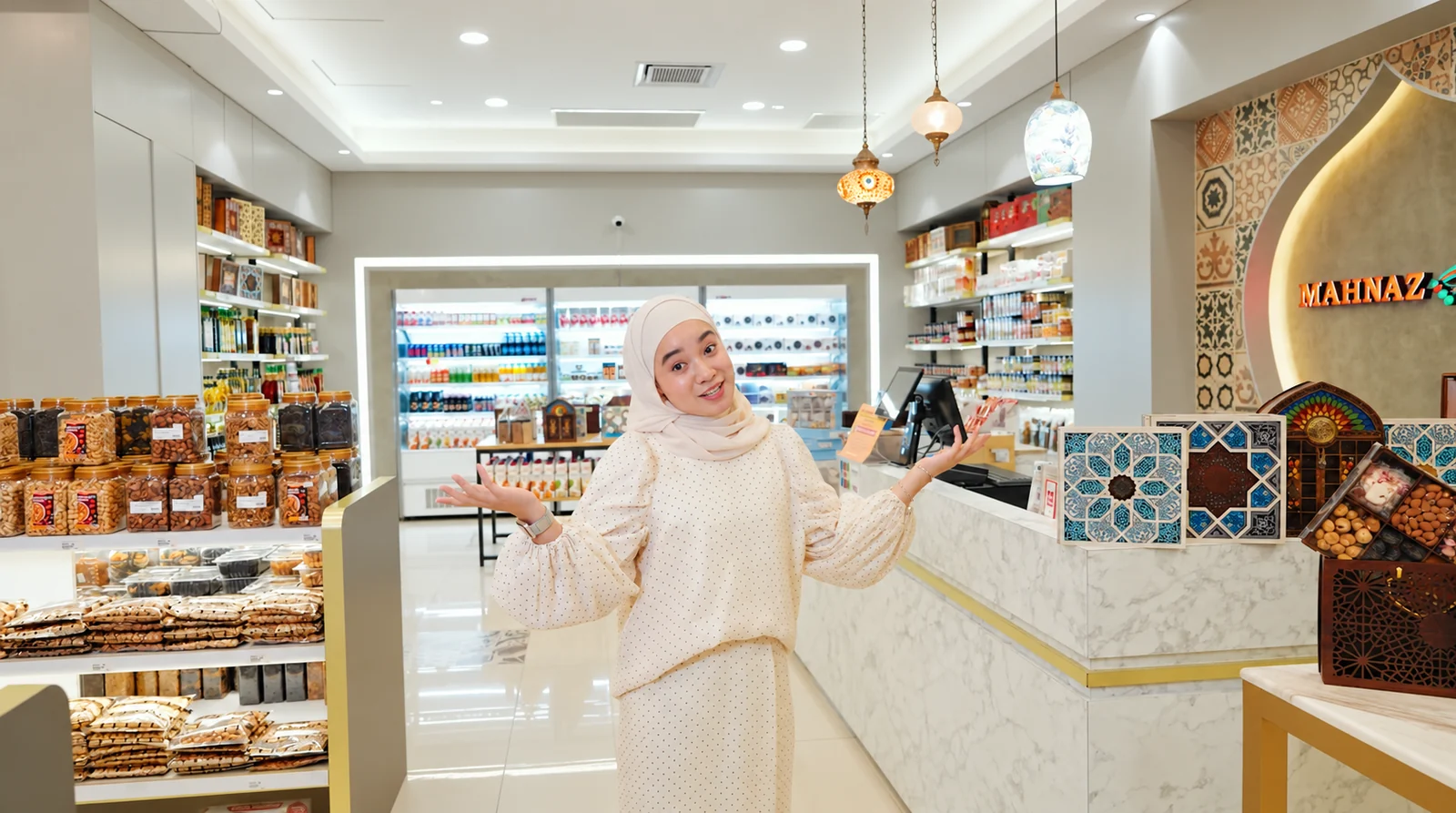
Use 9:16 as a practical starting canvas for full-screen vertical placements, 4:5 or 1:1 where feed composition suits the message, and 16:9 for a wider explanation or standard YouTube viewing. These are production choices, not promises of reach. Check the current requirements for the exact organic or paid placement before export.
The same business can need several kinds of video
A Procurement manager watching a capability explanation has a different task from someone discovering your team in a social feed. Start with what the viewer needs from that moment. Then choose a channel where you can reach that audience and an opening that gives them a reason to continue.
This guide helps marketing teams and producers agree formats and deliveries. For the campaign itself, use our B2B social-video planning guide.
Three decisions before export
- PlacementWhere will someone encounter and watch this?
- CompositionWhat must remain visible and understandable?
- DeliveryWhich versions, captions, rights and upload checks are required?
Choose a channel by audience behaviour, not a stereotype
The same person can use several platforms in different moods. “LinkedIn is B2B” does not prove your buyers will watch your particular film there. Review your own audience, enquiries and publishing results. Treat the examples below as starting hypotheses.
| Channel | Useful business context | Creative question |
|---|---|---|
| Expert explanations, project lessons, leadership and professional reputation. | Does the opening help a relevant professional do or understand something? | |
| Visual demonstration, people, product detail and brand discovery. | Can the viewer see why this matters before knowing our company? | |
| Existing communities, local relevance, customers and employees. | What makes this useful enough for this community to share or discuss? | |
| TikTok | Native explanations, discovery, demonstrations and a recognisable human voice. | Can an expert make one point without a long corporate introduction? |
| YouTube | Searchable demonstrations, considered explanations and a video library. | Does the title and opening answer the question the viewer came with? |
| X and Threads | Timely commentary, events and conversations where your audience is active. | Does the clip make sense with the post, and is the context clear? |
| Pinterest and Snapchat | Selective discovery or visual campaigns where audience evidence supports them. | Do these channels justify a dedicated version and publishing effort? |
Four useful aspect ratios, shown at a glance
An aspect ratio describes width relative to height. Resolution describes the number of pixels. A 9:16 video is vertical whether it is 720 × 1280 or 1080 × 1920. The canvases below are common planning examples; individual ad placements can recommend different dimensions.
1080 × 1920
1080 × 1350
1080 × 1080
1920 × 1080
See what a crop can remove
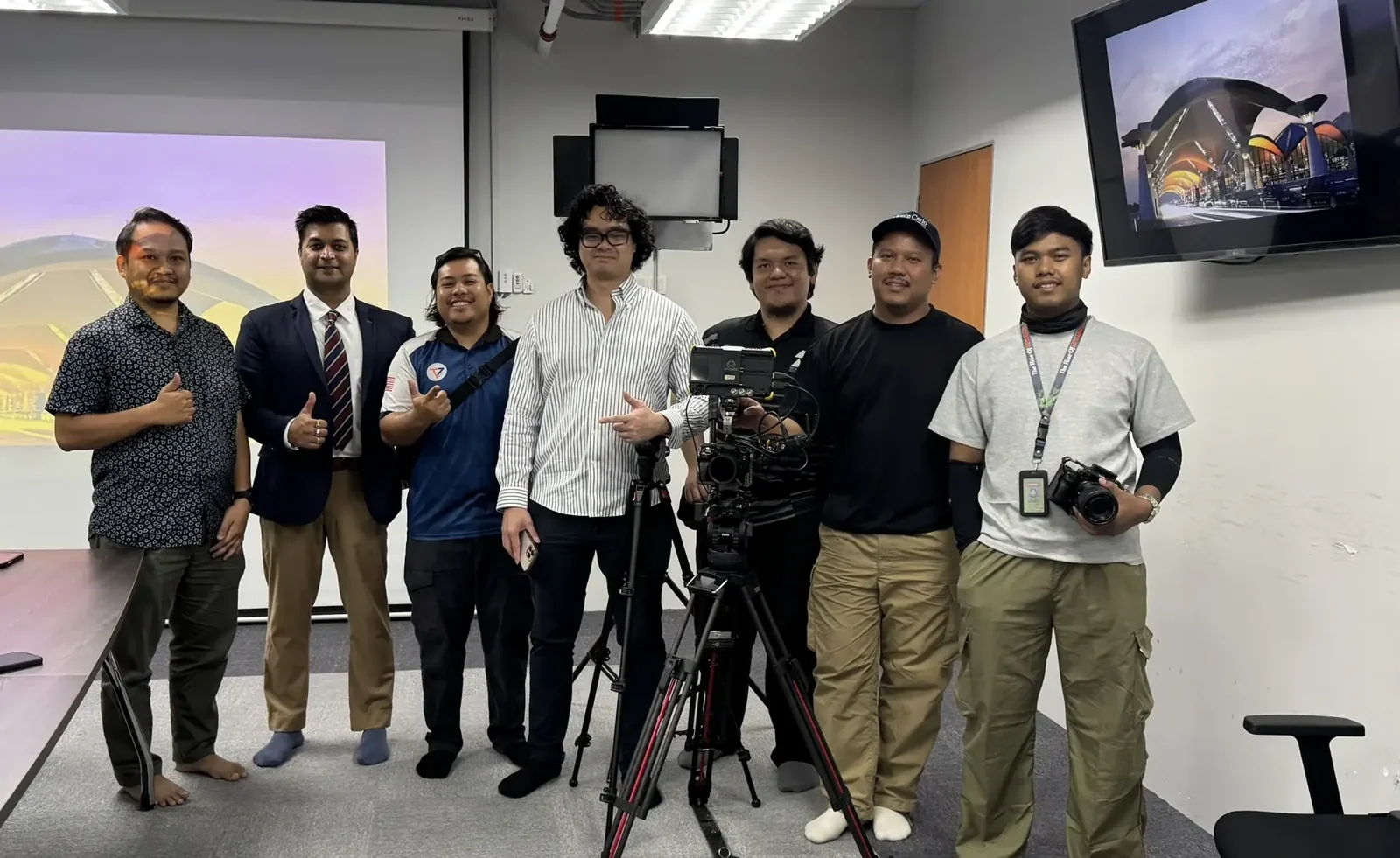
16:9 · 1920 × 1080 — preserves the wider setting.
A centre-crop demonstration using the KLIA project team photograph. This is not a platform safe-zone template. A final edit may need a different crop position or different coverage.
A landscape master is not automatically a good vertical film. A crop may remove the second speaker, a product label or the part of a machine that explains the process. Plan alternate framing, close-ups and text layouts during production.
From master film to useful versions
Change the explanation when the viewing situation changes
A new aspect ratio is not always a new creative version. A crop changes the visible area; an adaptation can also change the opening, sequence, captions and next step. If those decisions are left until export, you may discover that the essential action sits outside the frame.
Consider an illustrative business video about a quality inspection. The audience conclusion stays the same: “I can see how this inspection checks the agreed requirement.” The version changes according to where and why someone watches.
Start with the relevant action
Open on a close view of the measurement and a concise question: “What happens before this component is released?” Use a readable detail and short explanation, keeping essential information clear of the interface. Finish by directing an interested viewer to the full process story.
Help someone understand quickly
Where the chosen placement supports 4:5, use the extra vertical space for a person, component and one useful label. Write a caption that adds the customer context instead of merely repeating the spoken line. Test text size on a phone.
Give the process room to breathe
Establish the workstation, show the inspection, then explain what the result means. A wider frame can preserve the relationship between operator and equipment. Provide a relevant title, captions and a destination for the next technical question.
Recompose rather than squeeze
Choose a tighter moment or separately framed detail if the original picture becomes cramped. Square is an option, not a compulsory deliverable. Remove it from scope if you have no intended use for it.
Before filming: list the must-see information in each version. Capture separate coverage if one frame cannot protect the speaker, product and essential action together.
Platform-by-platform: what to confirm before delivery
Reference check: 17 October 2026. The table distinguishes official format information from our practical planning advice. Paid ad requirements are not interchangeable with organic upload limits. Verify the selected placement in the platform’s current publishing or ads interface.
| Placement | Production starting point | Check before export |
|---|---|---|
| Instagram / Facebook Reels and Stories | Design a dedicated 9:16 composition for a full-screen vertical experience. | Confirm organic versus paid use, duration, interface overlays, cover crop and current placement dimensions. Meta Ads Guide |
| Instagram / Facebook feed | Consider portrait or square where it improves the composition; preview how the chosen format appears. | Do not assume an organic post, Reel and paid feed ad use identical requirements. Check each selected placement. Meta placement specifications |
| LinkedIn video ads | LinkedIn lists 4:5, 9:16, 16:9 and 1:1. Choose around the scene and viewing context. | MP4; official ad duration 3 seconds–30 minutes and maximum file size 500 MB. These limits do not prescribe the right length. LinkedIn ad specifications |
| TikTok auction in-feed ads | 9:16 is the recommended orientation; compose for the placement. | Spark and Non-Spark details differ. Use the current format-specific limits and safe-zone templates. TikTok ad specifications |
| YouTube Shorts | 9:16 is useful for a full-screen portrait composition. | Standard channels’ square or vertical uploads of up to three minutes are classified as Shorts under the current rules. A #Shorts hashtag is not the eligibility test. Check music and rights separately. YouTube Shorts eligibility |
| Standard YouTube videos | 16:9 is a practical starting point for wide scenes and longer explanations. | Choose resolution and encoding for the source material and viewing experience. Do not add black bars to force a ratio. YouTube encoding guidance |
| X video ads | Match feed or vertical placement; X supports several ratios and recommends 9:16 for vertical video ads. | Check the exact ad format, duration, resolution, thumbnail and caption requirements. X creative specifications |
Meta’s documentation can require sign-in. Its current placement preview should be the final check. We have deliberately avoided a universal Meta upload limit or safe-zone measurement.
Make the message survive the interface
- Keep essential information away from overlays.Buttons, captions, account information and calls to action can cover the frame. Use the platform’s current safe-zone template and preview the actual ad or post. A single fixed pixel margin does not work everywhere.
- Design captions for reading.Check contrast, size, line breaks, names, numbers and technical terms. Supply a clean master and captioned version where useful; provide a timed caption file when the destination supports it.
- Review with sound off and sound on.The main point should remain understandable when muted. Dialogue, music and sound design should still be intentional when heard. Do not assume music available in one app is licensed for paid advertising or another platform.
- Choose a cover deliberately.A video frame and its feed or profile thumbnail can crop differently. Keep the face, product and essential cover text legible in each preview.
Six terms that prevent an expensive export misunderstanding
- Aspect ratio
- The relationship between width and height. 9:16 describes the shape, not the number of pixels.
- Resolution
- The pixel dimensions. A 1080 × 1920 file has a 9:16 ratio. Enlarging a soft source does not restore missing detail.
- Frame rate
- How many frames play each second. Confirm the capture and delivery workflow; do not assume every platform requires 30 fps.
- Container and codec
- MP4 is a container; H.264 is a video codec commonly used inside it. They are different instructions. Confirm the destination's accepted combination.
- Captions
- Open captions are burned into the picture; closed captions can be switched on or off in a supported player. Agree language, spelling, timing and whether separate caption files are required.
- Cover and safe area
- A cover is the selected thumbnail or preview image. A safe area protects essential content from cropping or interface overlays. Neither is identical across all platforms and devices.
Make a delivery register, not a list of file extensions
For every output, record placement → audience job → duration → ratio → language/captions → rights → owner. An illustrative entry might be: “LinkedIn feed explainer; procurement audience; one approved short edit; 4:5 if supported by the intended placement; English captions; cleared for the agreed organic use; Marketing uploads and checks.” Confirm the exact current specifications before signing off.
A change from organic posting to paid advertising may change the required rights, call to action and platform checks. A new language may require re-timing and layout work. Discuss those changes before treating them as a simple extra export.
Brief the delivery package before filming
Agree the number of edits, aspect ratios, languages, durations, caption versions, thumbnails and revision rounds. A new ratio may need re-editing, repositioned graphics and different shots. Price that work explicitly rather than assuming it is a free export.
| Illustrative version | Purpose | Creative change |
|---|---|---|
| 16:9 explanation | Website or YouTube: answer a detailed buyer question. | Wider evidence, complete explanation, next relevant page. |
| 4:5 feed edit | Introduce one useful point to a relevant professional audience. | Reframe subjects, shorten the opening, rebuild text. |
| 9:16 demonstration | Full-screen discovery or a specific vertical placement. | Close coverage, readable captions, one clear takeaway. |
MP4 with H.264 video and AAC audio is a useful compatibility starting point, subject to the destination. Keep frame-rate decisions consistent with production and platform requirements; converting 25 fps footage to 30 fps does not create new captured motion. Review compression, colour, sound and caption sync in the uploaded result.
Final export and upload check
How to judge claims that one format “performs better”
A reach or click-through figure is only useful when you know what was measured. Before using a benchmark to choose your production scope, ask:
Which audience and date?
A consumer campaign in another market may not describe Malaysian B2B buying behaviour. Platform features and distribution also change.
Paid or organic?
Targeting, media spend and placement can influence the result. A successful paid campaign is not evidence that the same organic post will achieve similar reach.
What is the denominator?
For example, 30 link clicks from 3,000 impressions gives a 1% link-click rate. This illustrative calculation says nothing by itself about lead quality, enquiries or sales.
What else changed?
If the hook, audience, budget and ratio all changed, you cannot attribute the difference to ratio alone. Keep the comparison as consistent as practical and record the remaining differences.
A small, useful test
Choose two versions that answer the same buyer question. Use the same destination, record their intended placements and compare an agreed metric over the same period. Then inspect the quality of the responses. Treat a small or uneven sample as a learning signal, not a universal rule.
Developed from the supplied Social Media Formats and Datas guide and PurplePerfect's channel-planning material. Unattributed performance percentages are not used as established facts. The platform references above are the authority for their own current technical requirements.
Quick answers about social-video formats
Which aspect ratio performs best?
There is no universal winner. Fit the placement and the content, then compare relevant results. A vertical demonstration can suit full-screen viewing; a wide process explanation can require landscape coverage. Format is one variable alongside audience, idea, distribution and offer.
Can we just crop the corporate film into Reels?
Sometimes, if the source has suitable framing and a self-contained answer. Often the opening, pace, captions and proof need rebuilding. Review the actual footage before promising a package of cutdowns.
How long should a B2B social video be?
Long enough to deliver its useful point, and short enough to respect the viewing situation. A quick demonstration and a considered technical explanation have different needs. Test a clear hypothesis rather than treating an upload maximum or a generic benchmark as the ideal length.
How often should we review specifications?
At briefing, before final export and in the publishing preview. Recheck when the campaign changes placement or paid use, or when old material is reused. Keep a dated delivery matrix so the team knows which requirements were checked.